
Clear Vision · Wear OS
CV06 Side
More control, with clarity at the center.
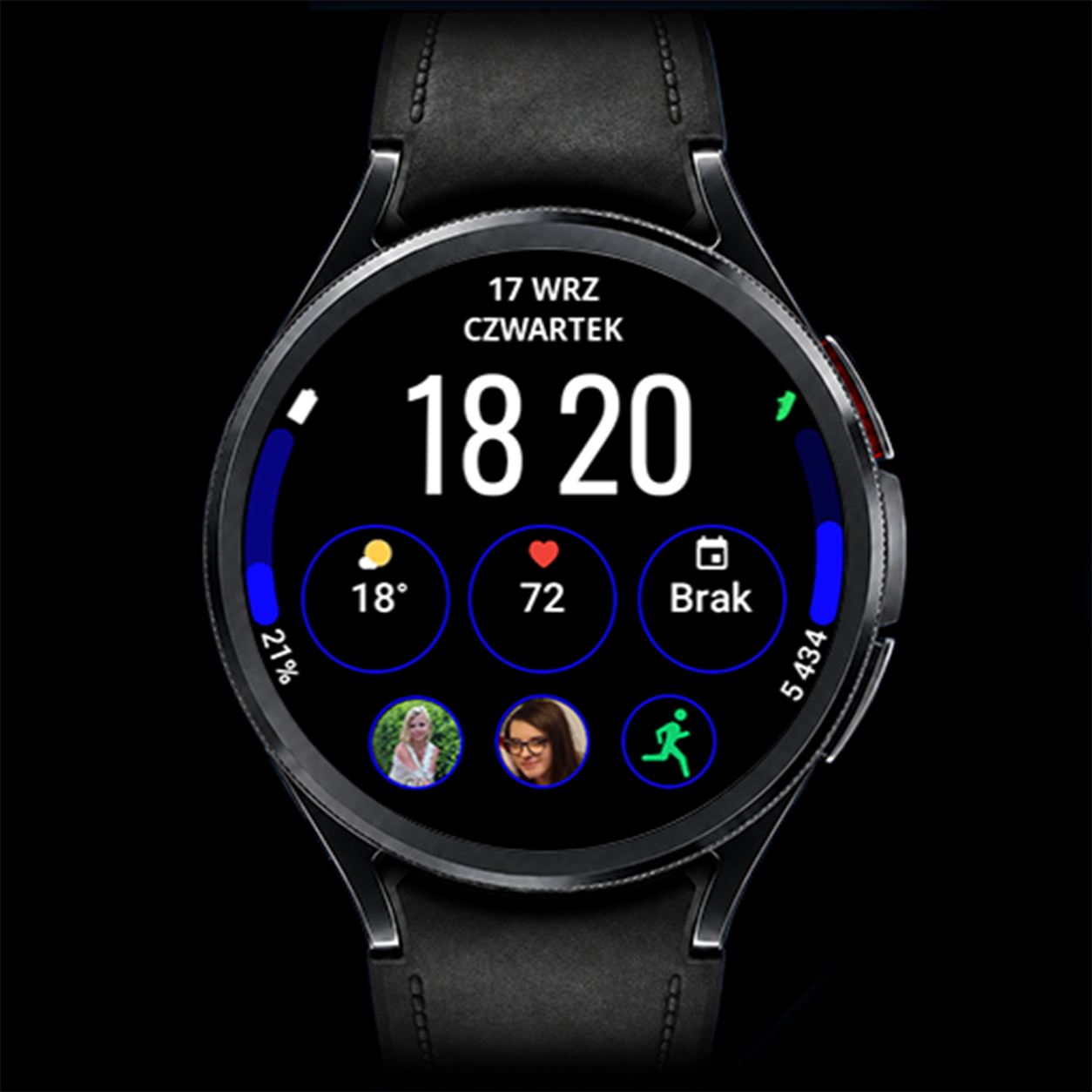
CV06 Side combines large digital time, side progress bars and editable complications in an organized layout. Choose the data you need and personalize the visual details while keeping information clearly separated.
Key features
- 6 editable complications + 2 editable progress bars
- 2 time font styles: thin and bold
- Customizable progress bar colors
- Customizable rings around complications
- Option to turn the complication rings off
- Large digital time and a dedicated AOD
Gallery
Gallery — 8 images
Select an image to view it full size.
Choose your information and shortcuts
Editable complications let you tailor the watch face to your needs. Depending on your watch, Wear OS version and installed apps, available sources may include battery, steps, calendar, weather, activity, heart rate or alarms. Each field supports specific data types.
Two editable progress bars
Use the bars to display compatible data visually. Their colors can be changed to suit the rest of the watch face. Available sources depend on the complication type supported by each bar.
Rings and two clock styles
Change the colors of the rings around the complications, or switch the rings off entirely for a more minimal look. Choose thin or bold digits for the main clock to change its visual weight while preserving the layout.
Always-On Display
When the watch enters Always-On Display, the face uses a simplified view that keeps the time readable. Enable AOD in the watch settings; its availability and behavior also depend on your device and system settings.
How to customize
- Set CV06 Side as your active watch face.
- Touch and hold the face, then select Customize.
- Choose complications and compatible progress bar data. Set the bar and ring colors, turn the rings off if preferred, then select thin or bold time digits.
- Confirm your selection, return to the watch face and check your data.
Option names may vary by watch and Wear OS version.
Installation and setup →Extra data: Phone Battery Complication
The watch face works without Phone Battery Complication. This external app by amoledwatchfaces is required for selected additional data sources, such as phone battery. Install and configure it on both your Android phone and Wear OS watch. Available options depend on whether the selected field supports the data source.
Compatibility and complications
This watch face is designed for compatible Wear OS watches. Check device compatibility on Google Play before installing. Complication availability, appearance, text length and refresh behavior depend on your watch, Wear OS version and data provider. Not every complication works in every field. If a field remains empty, check the selected app’s permissions or choose another compatible source.
Questions about CV06 Side
How many complications can I edit?
CV06 Side has 6 editable complications + 2 editable progress bars.
Can I hide the rings?
Yes. The rings around the complications can be turned off in customization.
Can I change the bars and clock style?
Yes. You can change the progress bar colors and choose thin or bold time digits.
Does CV06 include AOD?
Yes. It has a dedicated Always-On Display mode.