
Clear Vision · Wear OS
CV04 Orbit
Circular indicators for your daily progress.
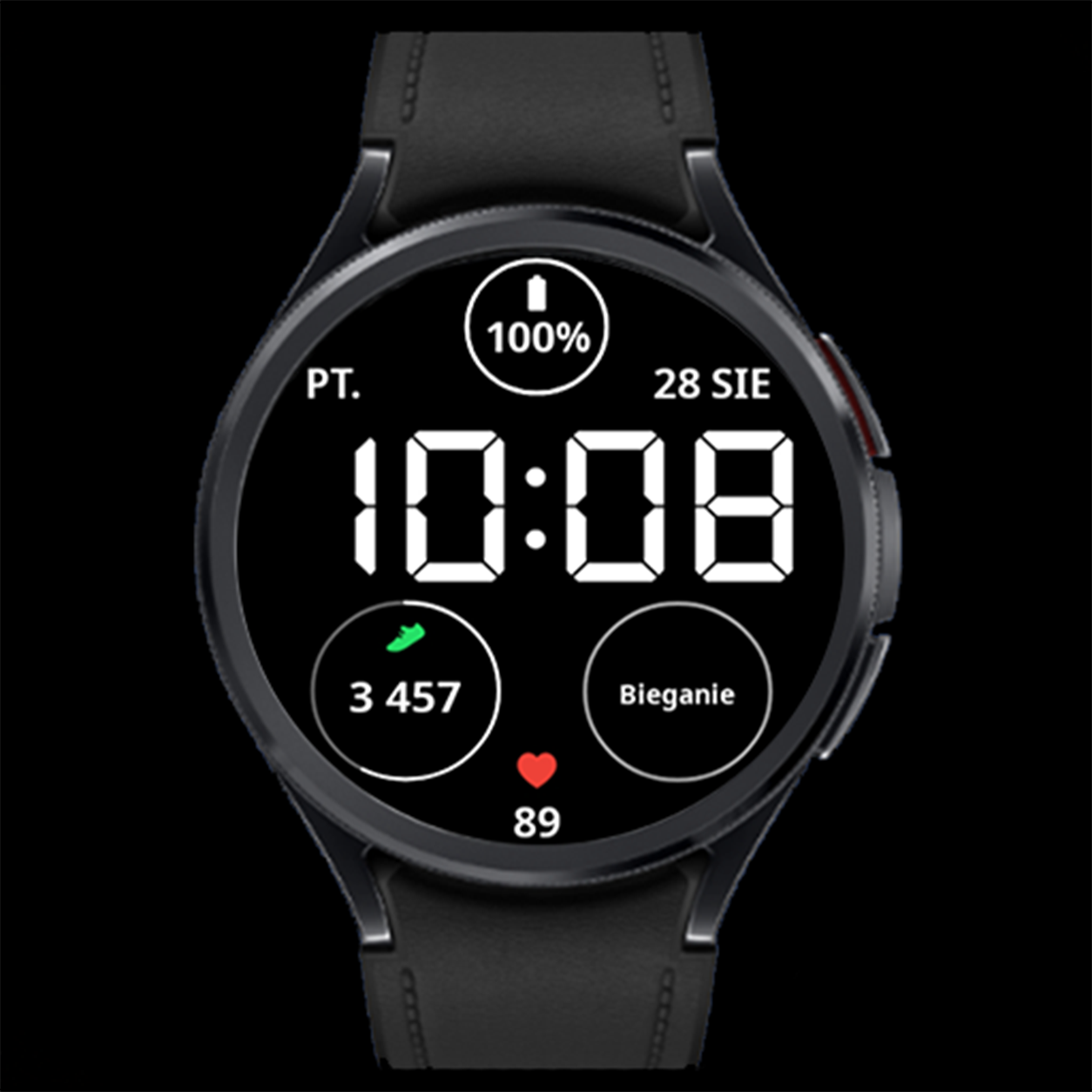
CV04 Orbit pairs a large central clock with circular indicators and one customizable field. Check the time, watch battery and step progress in a layout that stays simple and easy to read.
Key features
- Large time and a clear date
- 2 clock styles: thin and bold
- Battery progress indicator
- Step count and a goal progress ring
- Heart rate and 1 editable complication
- Color themes and AOD
Gallery
Gallery — 8 images
Select an image to view it full size.
Progress at a glance
The step ring follows the current step goal set on your device. It fills as you approach that goal, with the count displayed inside. A separate indicator shows the watch battery level.
One custom field, two clock styles
The lower-right complication is editable. Select compatible weather, calendar, activity data or a shortcut, for example. Switch the time between thin and bold digits and choose a color theme for supported elements.
Always-On Display
When the watch enters Always-On Display, the face uses a simplified view that keeps the time readable. Enable AOD in the watch settings; its availability and behavior also depend on your device and system settings.
How to customize
- Set CV04 Orbit as your active watch face.
- Touch and hold the face, then select Customize.
- Choose thin or bold time digits, a color theme and the data shown in the lower-right field.
- Confirm your selection, return to the watch face and check your data.
Option names may vary by watch and Wear OS version.
Installation and setup →Extra data: Phone Battery Complication
The watch face works without Phone Battery Complication. This external app by amoledwatchfaces is required for selected additional data sources, such as phone battery. Install and configure it on both your Android phone and Wear OS watch. Available options depend on whether the selected field supports the data source.
Compatibility and complications
This watch face is designed for compatible Wear OS watches. Check device compatibility on Google Play before installing. Complication availability, appearance, text length and refresh behavior depend on your watch, Wear OS version and data provider. Not every complication works in every field. If a field remains empty, check the selected app’s permissions or choose another compatible source.
Questions about CV04 Orbit
Which field can I customize?
The complication in the lower-right part of the watch face is editable.
Does the step ring use my own goal?
Yes. It tracks progress toward the current step goal set on your device.
Can I change the weight of the time digits?
Yes. Both thin and bold clock styles are available.