
Clear Vision · Wear OS
CV03 Split Focus
Keep the time in focus.
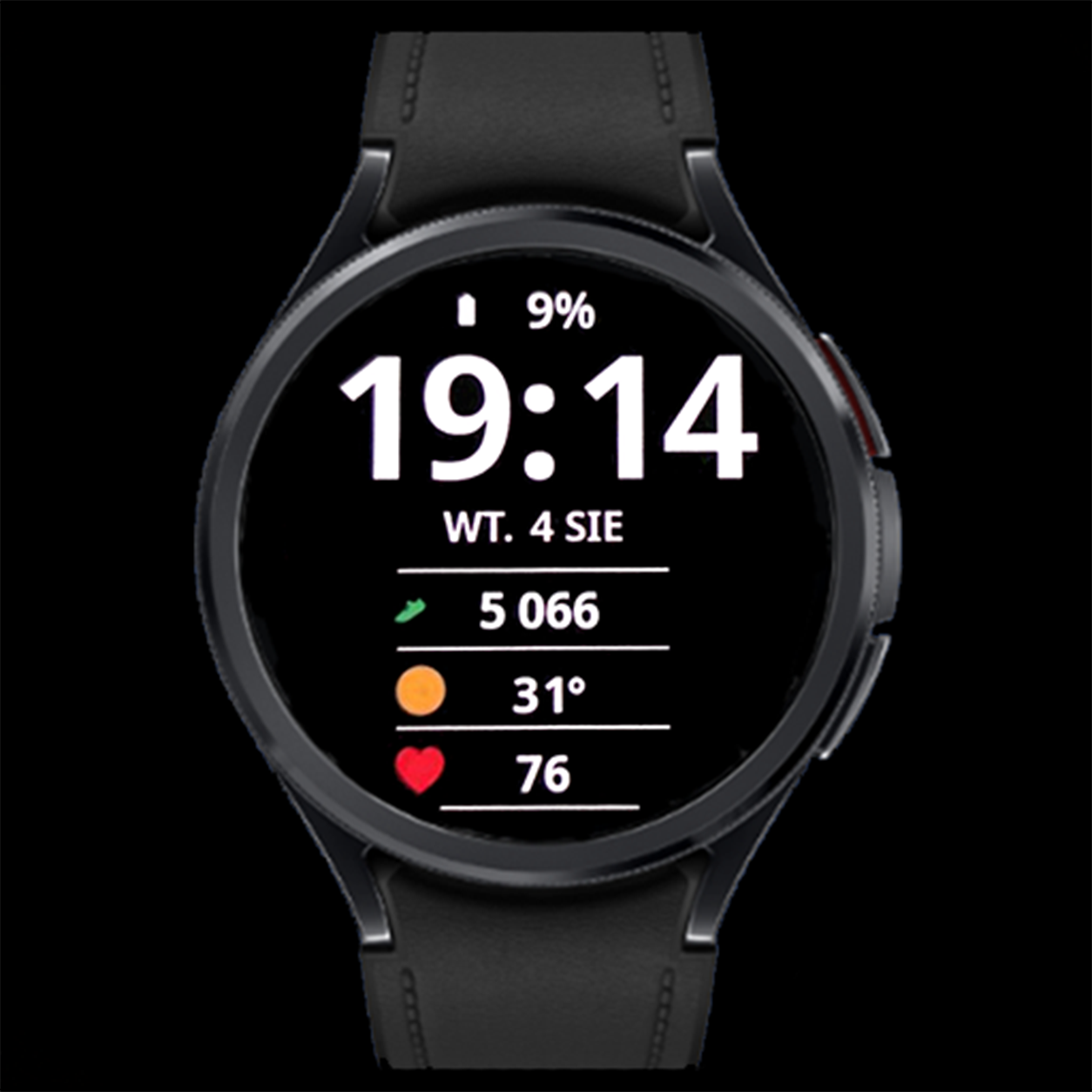
CV03 Split Focus combines a dominant digital clock with three clear information rows beneath the date. Its simple structure keeps your chosen data easy to find while preserving Clear Vision’s high-contrast look.
Key features
- Large digital time in 24-hour format
- 3 editable complications below the date
- Clear date and battery level
- Color options for time, date and battery value
- Simplified Always-On Display
- Layout designed for round Wear OS watches
Gallery
Gallery — 8 images
Select an image to view it full size.
Three rows for the information you choose
The lower part contains three editable complications. Assign compatible data sources or app shortcuts, such as weather, steps, heart rate, calendar events, alarms or sunrise and sunset times.
Colors and time format
Personalize the color of the clock, date and battery value. CV03 uses 24-hour time; a 12-hour AM/PM option is not available. Complication colors depend on the providers you select.
Always-On Display
When the watch enters Always-On Display, the face uses a simplified view that keeps the time readable. Enable AOD in the watch settings; its availability and behavior also depend on your device and system settings.
How to customize
- Set CV03 Split Focus as your active watch face.
- Touch and hold the face, then select Customize.
- Choose data for the three fields below the date, then set the color theme for the clock, date and battery value.
- Confirm your selection, return to the watch face and check your data.
Option names may vary by watch and Wear OS version.
Installation and setup →Extra data: Phone Battery Complication
The watch face works without Phone Battery Complication. This external app by amoledwatchfaces is required for selected additional data sources, such as phone battery. Install and configure it on both your Android phone and Wear OS watch. Available options depend on whether the selected field supports the data source.
Compatibility and complications
This watch face is designed for compatible Wear OS watches. Check device compatibility on Google Play before installing. Complication availability, appearance, text length and refresh behavior depend on your watch, Wear OS version and data provider. Not every complication works in every field. If a field remains empty, check the selected app’s permissions or choose another compatible source.
Questions about CV03 Split Focus
Does CV03 support 12-hour time?
No. CV03 Split Focus uses the 24-hour format.
Can I change all three lower fields?
Yes. Each of them is an editable Wear OS complication.
Why is a field empty?
The provider may not supply compatible data for that field type. Check required permissions or choose a different complication.